How to retrieve the Evaluated Model name from a Model Evaluation Store via the Python API

I'm trying to pull the name of the evaluated model for a model evaluation store - e.g. the field "Evaluated model" under the category "Model" from this type of URL:
https://dataikuprod.corp.{company}.org/projects/{projectkey}/modelevaluationstores/{meskey}/evaluations/{specificmekey}/report/tabular-summary
I've been trying to use the "dataikuapi package API" section of the following article, but I haven't found a way to pull the evaluated model's name
https://developer.dataiku.com/latest/api-reference/python/model-evaluation-stores.html#
Any help or direction is appreciated, thanks. My code is below, with some redacted pieces and simplifications focusing on this question:
import dataiku

import pandas as pd

import dataikuapi

from datetime import datetime

from pbcutil import get_user_secret


host = "https://dataikuprod.corp.{company}.org/"

api_key = "###"

client = dataikuapi.DSSClient(host, api_key)

proj_key="{projkey}"

mes_key="{meskey}"


project_obj = client.get_project(proj_key)

mes_api_obj = project_obj.get_model_evaluation_store(mes_key)

meslist=mes_api_obj.list_model_evaluations()

mes_name=mes_api_obj.get_settings().get_raw().get("name")

latest_mes=mes_api_obj.get_latest_model_evaluation()


print(latest_mes)
Dataiku version used: 8.5
Answers
-
 Chad Dataiker, Dataiku DSS Core Designer, Dataiku DSS ML Practitioner, Dataiku DSS Adv Designer, Registered Posts: 2 Dataiker
Hey Namonlee,
Thanks for coming to the Dataiku Community! So I noticed a few issues with your code:1. print(latest_mes) prints the object handle and not the actually info on the object. to get that, you need to call .get_full_info().get_raw() on the object.
2. If you are trying to do this in a Dataiku project, usingdataiku.api_client()andclient.get_default_project()in notebook is easier. This will give you quicker access into your project assets programmatically.
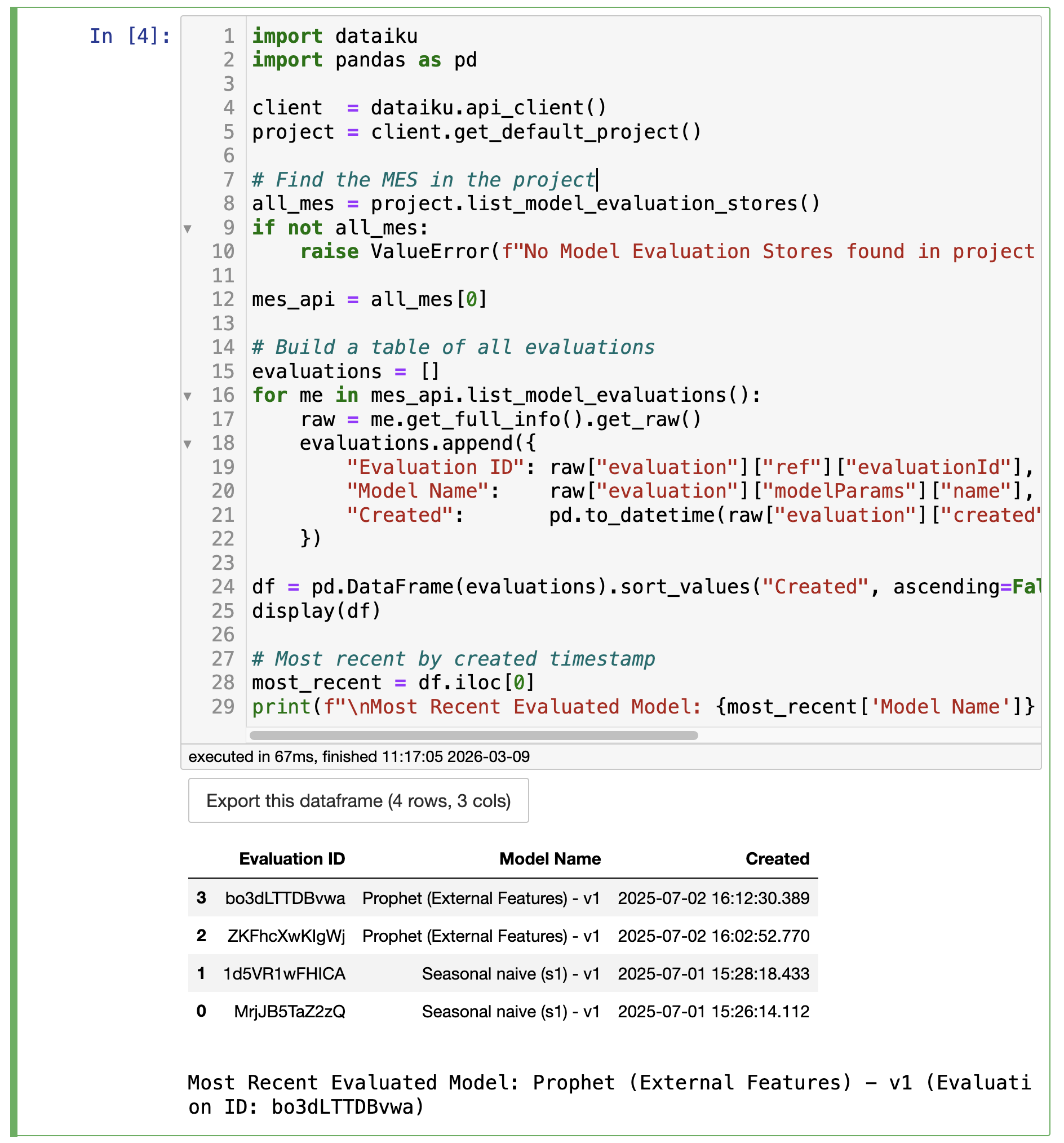
Here's a clean working script that lists all evaluations in a table and identifies the most recent:import dataiku import pandas as pd client = dataiku.api_client() project = client.get_default_project() # find the MES in the project all_mes = project.list_model_evaluation_stores() if not all_mes: raise ValueError(f"No Model Evaluation Stores found in project '{project.project_key}'") mes_api = all_mes[0] # creates a table of all evaluations evaluations = [] for me in mes_api.list_model_evaluations(): raw = me.get_full_info().get_raw() evaluations.append({ "Evaluation ID": raw["evaluation"]["ref"]["evaluationId"], "Model Name": raw["evaluation"]["modelParams"]["name"], "Created": pd.to_datetime(raw["evaluation"]["created"], unit="ms") }) df = pd.DataFrame(evaluations).sort_values("Created", ascending=False) display(df) # most recent evaluation most_recent = df.iloc[0] print(f"Most Recent Evaluated Model: {most_recent['Model Name']} (Evaluation ID: {most_recent['Evaluation ID']})")A couple of notes:
get_full_info()is only available on thedataikuapiside, but when usingdataiku.api_client()inside DSS you get access to it without needing to hardcode credentials.- The
createdfield is in Unix time in milliseconds, sopd.to_datetime(..., unit='ms')converts it to a readable timestamp.
I've attached a screenshot below showing an example of the script on one of my projects. Hope this helps!