as_core_knowledge_bank not working on dataiku-api-client==14.2.3

To convert a DSSKnowledgeBank to a KnowledgeBank using the dataiku API we have to use the as_core_knowledge_bank() function (https://developer.dataiku.com/latest/tutorials/genai/nlp/create-knowledge-bank/index.html).
However, the instantiation of the KnowledgeBank is not working because the context_project_key is missing from the initialization. There seems to be a version mismatch between dss\knowledgebank.py and dataiku\core\knowledge_bank.py.
When trying to convert a DSS kb into a dataiku kb using the as_core_knowledge_bank() function I get the following error:
TypeError("KnowledgeBank.__init__() got an unexpected keyword argument 'context_project_key'")
Python version: 3.11.9
dataiku-api-client==14.2.3
Please, how can I addess this problem?
Thanks
Operating system used: Windows
Best Answers
-
csanti Dataiku DSS Core Designer, Dataiku DSS ML Practitioner, Dataiku DSS Adv Designer, Registered Posts: 8 ✭✭✭
Thank you for looking into this, I appreciate.
I can access LLMs and the knowledge bank ID is correct.
I believe it has something to do with the code env, specifically the version of the pip packages for the dataiku-api-client and dataiku-internal-client.
When I run this code from within dataiku, I can inspect the methods available and I can see the KowledgeBank and DSSKnowledgeBank python objects are different than the ones available from the local dataiku module.
And if that is the case, I believe there is not much I can do, other than waiting for a new release of the dataiku-api-client. I will just create a knowledge bank outside dataiku.
Thanks again for your time!
-
If you want to use it outside of Dataiku, I would recommend looking at the packages that are included in your Dataiku Code-envs, and installing it "locally". It should work.

Answers
-
Hi @csanti,
What are you trying to do?
Could you please share some code that highlights what you are reporting? It is hard to help you if we don't have some context.
-
csanti Dataiku DSS Core Designer, Dataiku DSS ML Practitioner, Dataiku DSS Adv Designer, Registered Posts: 8 ✭✭✭
Thank you for your reply.
I have the following knowledge bank in a dataiku flow:
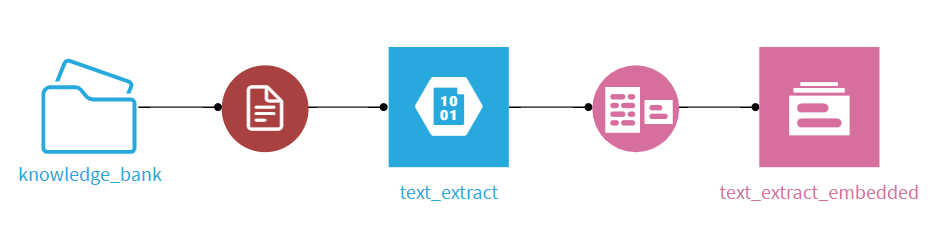
I am using the dataiku python client (https://developer.dataiku.com/latest/tutorials/devtools/python-client/index.html) to connect to the dataiku project from python in my local machine.
I have this python code in my local machine:
from langchain_core.vectorstores import VectorStore

def get_knowledge_bank_vector_store() -> VectorStore:


    # get Dataiku client
    client = dataiku.api_client()

    # get project client

    project = client.get_project(os.getenv("PROJECT_KEY"))

    # get knowledge bank from the dataiku project (comes as DSSKnowledgeBank object)

    kb = project.get_knowledge_bank(id=os.getenv("KB_ID"))

    # convert to dataiku core knowledge bank (as per snippets within https://developer.dataiku.com/latest/tutorials/genai/nlp/create-knowledge-bank/index.html)
    kb_core = kb.as_core_knowledge_bank() # ⇐ this is where the code fails

    # get direct access to the vector store


    vector_store = kb_core.as_langchain_vectorstore()

    return vector_store
This code is failing when using "as_core_knowledge_bank()" as stated in dataiku documentation (https://developer.dataiku.com/latest/tutorials/genai/nlp/create-knowledge-bank/index.html).
The error source is in the instantiation of the KnowledgeBank because the context_project_key is missing from the initialization.
Here are the versions I am using:
- Python version: 3.11.9
- dataiku-api-client==14.2.3
Please let me know if additional clarification is needed.
-
I have tried your code (a slightly modified one), and it works. So, it means that:
- You cannot access the Dataiku instance from your local computer. Check if you can run other commands, like:
import dataiku client = dataiku.api_client() project = client.get_project(<A_VALID_PROJECT_KEY) llm_list = project.list_llms() for llm in llm_list: print(f"- {llm.description} (id: {llm.id})")- You haven't properly set your environment variables. Try to print them.
- You are not using the right PROJECT_KEY where the Knowledge Bank is supposed to be.
- You did not extract the KB ID correctly.
- You are not using the correct Code Environment.
Tell me if you can spot the error.
