Agent hub webapp

i'm trying to create agent hub webapp as mentioned in the course steps, there is an issue appears for me and don't know how to solve it.
"Backend died before startup complete, caused by: APIErrorException: No module named 'pydantic'"
i've download it in the default environment and configure the project code environment to be the same one, but the issue still appears and the code environment of agent hub webapp doesn't appear for me, inorder to change the environment setting that used internally.
Dataiku version used: Trial version on cloud
Answers
-
 Chad Dataiker, Dataiku DSS Core Designer, Dataiku DSS ML Practitioner, Dataiku DSS Adv Designer, Registered Posts: 2 Dataiker
Hi hadir!
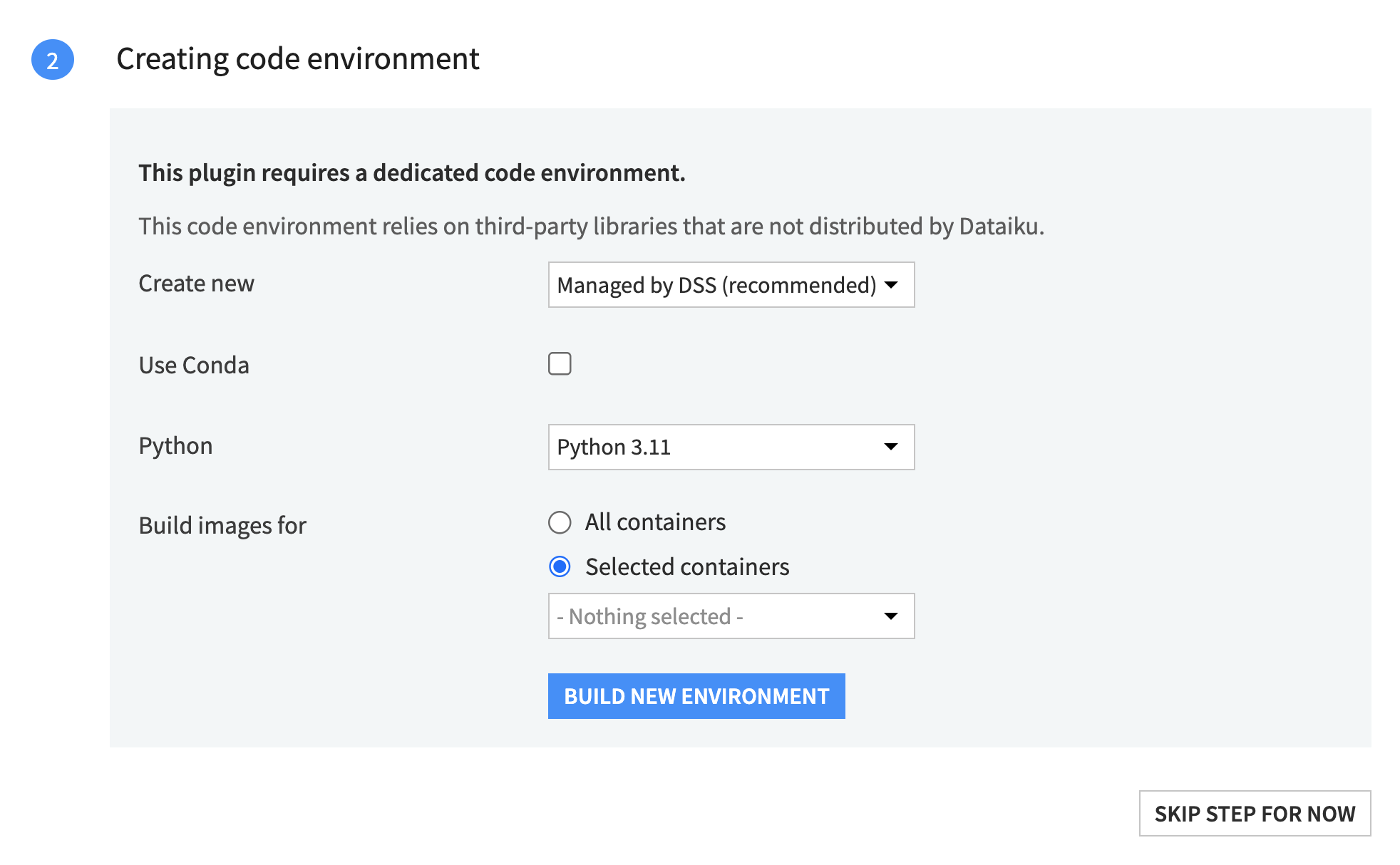
So the issue is actually with how your Agent Hub plugin was likely installed. When installing plugins, Dataiku gives you the option to create a managed code env at time of install. This is the environment the plugin is designed to run on, and it has all the required dependencies pre-configured (e.g. pydantic).
By skipping that step and manually creating a new code environment, the plugin ends up without its required environment properly set up.To fix this:
- Delete you current Agent Hub plugin.
- Reinstall the Agent Hub plugin.
- When prompted during installation (see the image below), select either All containers or Selected containers and choose the containers from the dropdown.
- Then, click Build New Environment.
- Once the environment is built, click OK.
Your Agent Hub should then be good to go and you shouldn't see that error anymore. Hope this helps!
-
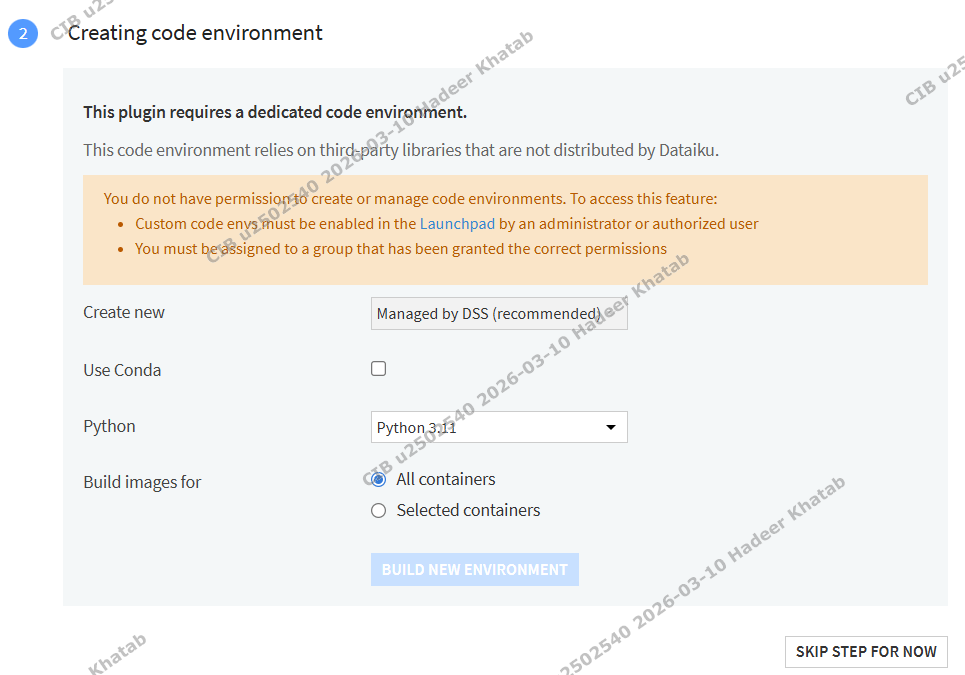
I don't have permission to create new environment.
-
Thank you @Chad , the option for creating new environment during downloading plugin is allowed now.

