how to manage connections?

Answers
-
Hey there!
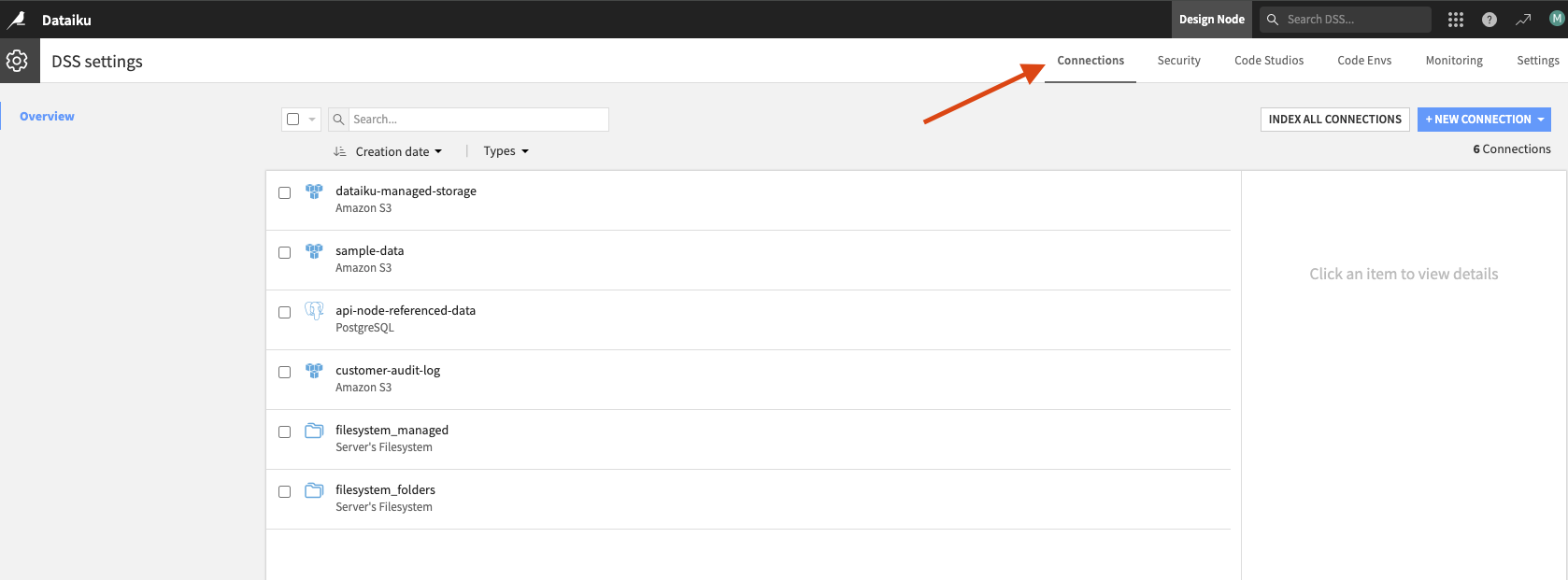
To managed connections you must have Admin permissions on your instance however, once you verify those permissions you can access your connections 2 ways:
1. From the Administration > Connections menu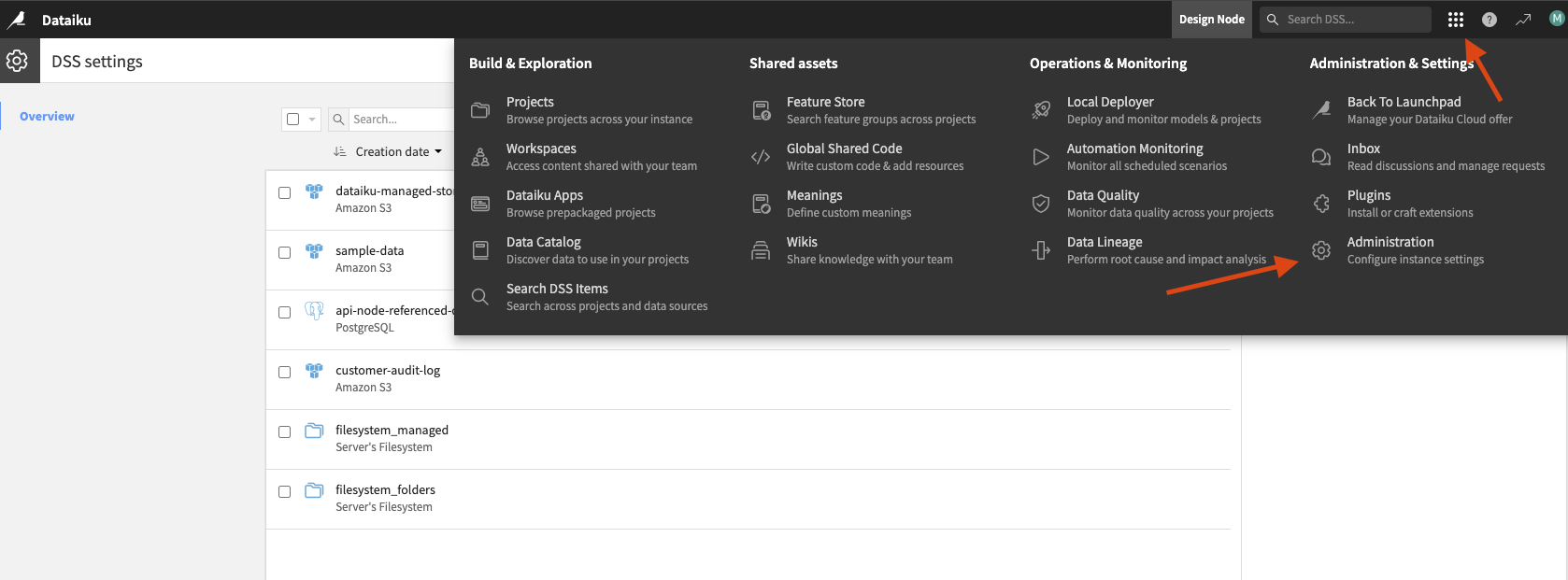
2. From your Launchpad select the Connections menu.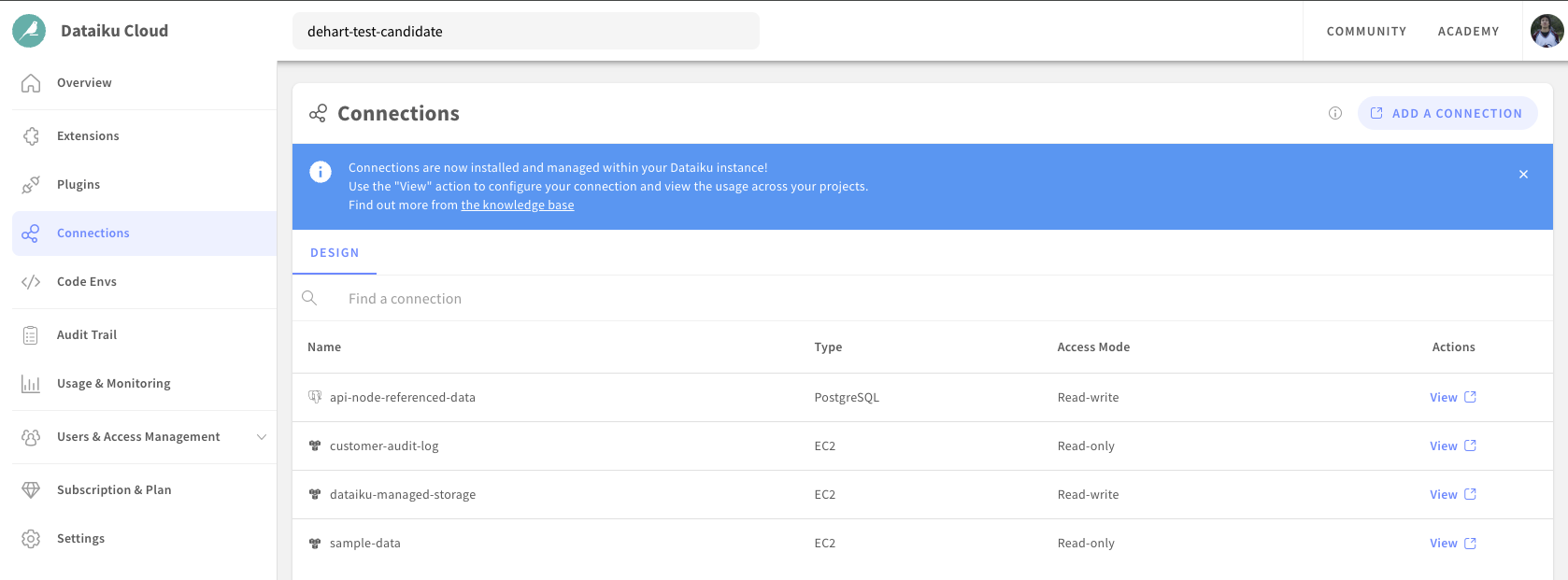
From there you can add, modify, delete, or test connections!



